You can set up custom additional information about a business term to add more context.
To set up additional information, follow these steps:
- On the Compact View tab, click
 . Then, click
  .
.
Alternatively, on the Grid View tab, under the Options column, click.
The business term opens in edit mode. - Click the Additional Information tab and click
 .
.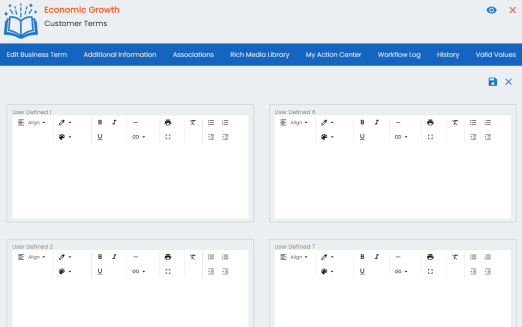
- Add information to the available user-defined fields.
By default, these fields have generic labels. For example, User Defined 1. For more information on configuring the UI labels of these fields, refer to the Configuring Language Settings topic. - Click
 .
.
The information you entered is added to the business term.